iPhone · Free to startDownload on the App Store
QR code that opens Interly on the App Store

Scan with your iPhone camera

Open the App Store page
Interly

Remindersevery 30 min,9 AM to 10 PM

Pick a start time, an end time and how often. Interly sends a notification at each interval in between.
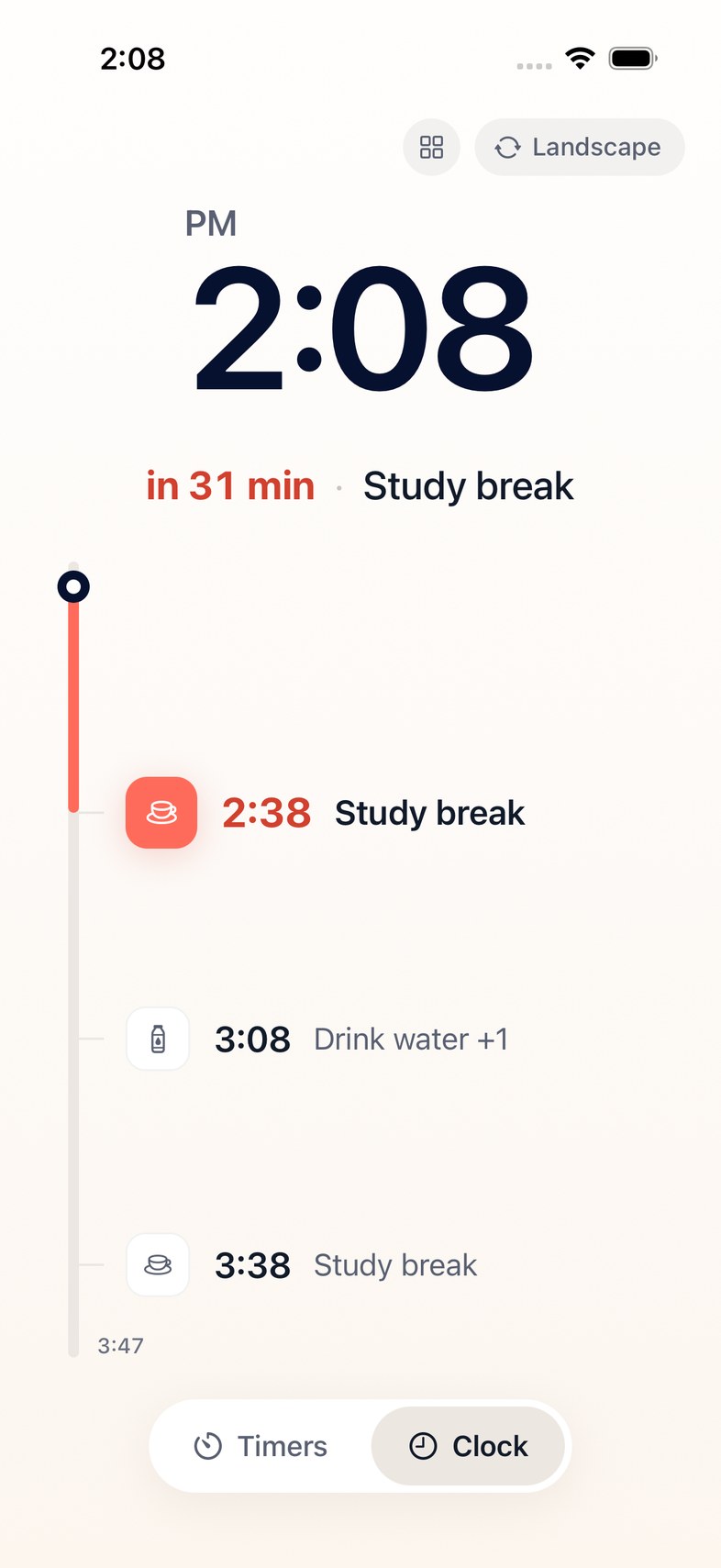
Interly clock screen at 2:08 PM. Study break in 31 minutes, then the next reminders down a timeline.

You can also say or type what you need

“Can you remind me to take short breaks while I study?”

You don’t have to give exact times. Interly picks them and shows you a preview. Tap Turn on if it looks right.
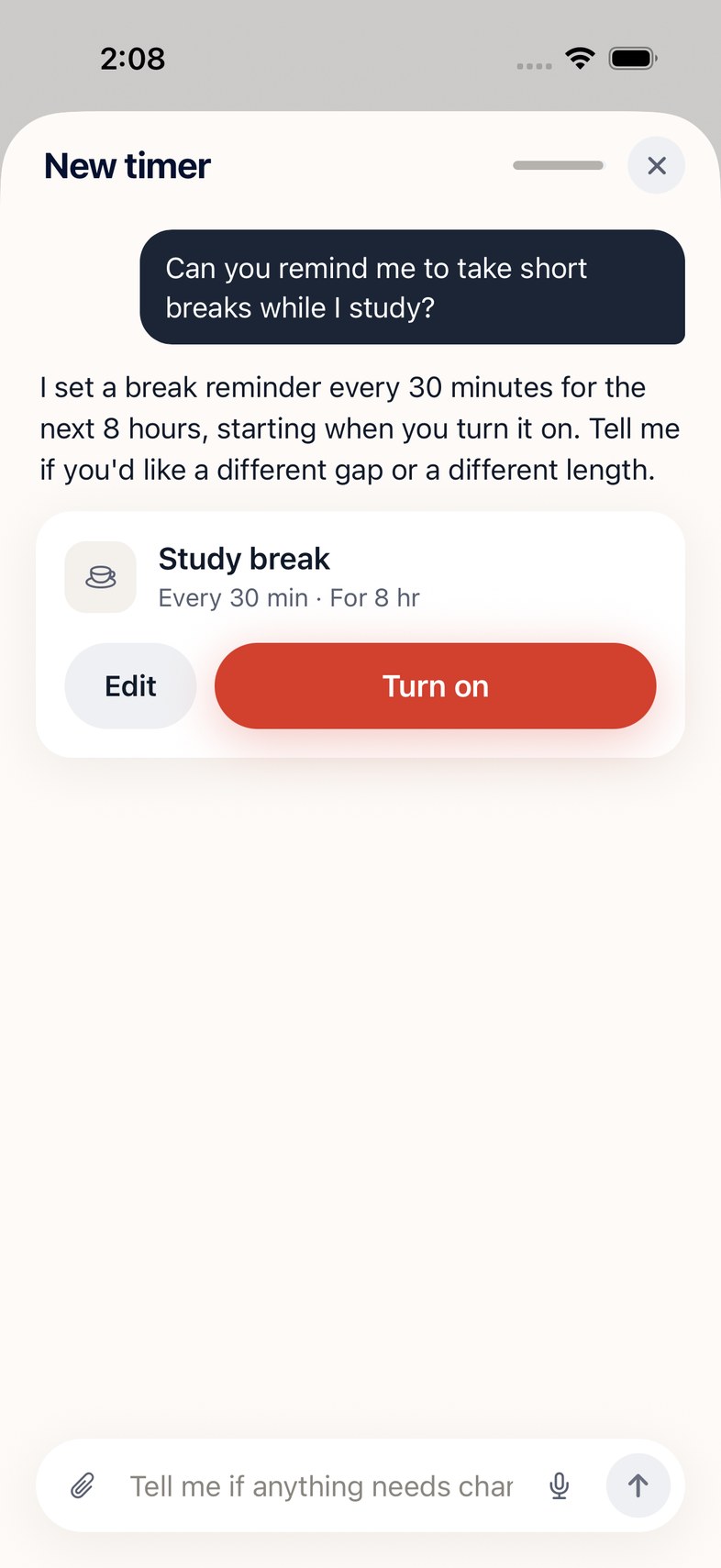
A chat in Interly. Asked for short breaks while studying, it answers with a Study break card, every 30 minutes for 8 hours, and a Turn on button.

Some ways to use it

  • Pomodoro: 25 min work, 5 min break
  • Rest your eyes every 20 min
  • Stand up and stretch every hour

Clock screen

Shows the next reminder and the minutes left in large type. You can change the face.
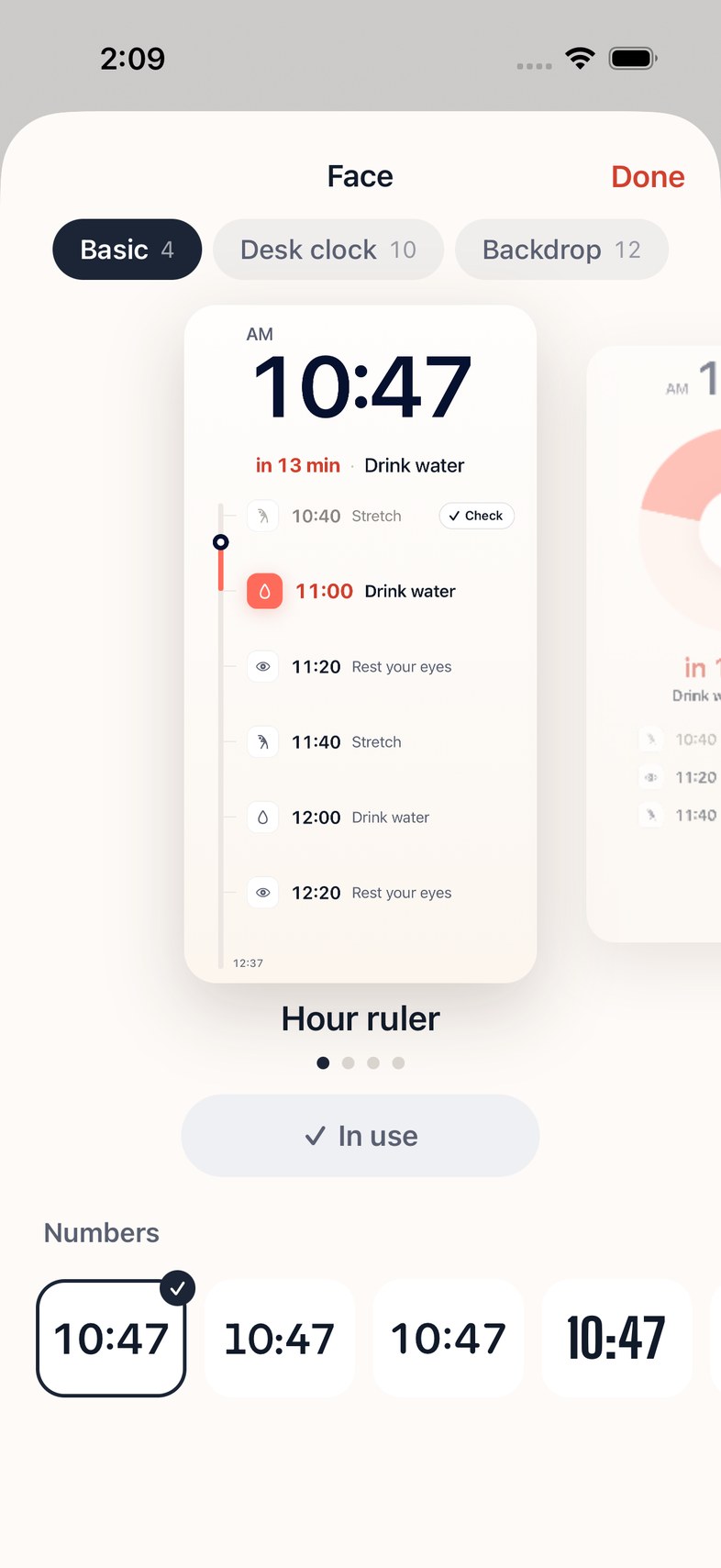
The Face sheet in Interly: Basic 4, Desk clock 10, Backdrop 12, with a preview of the Hour ruler face and four number styles.
Interly as a desk clock in landscape. 2:09 PM, Study break in 30 minutes.

Turn your phone sideways and use it as a desk clock.